Why You Need EBook to Accelerate Your ROI
Ebook! There’s hardly anyone who hasn’t heard about it. Indeed, it has become a key element to generate leads. You can regard it as a permanent game in the publishing industry. Ebooks are not a trend that will fade with the passage of time. Writing an ebook is easy. And, getting it is even easier. If you’re confused about whether you should adopt ebook marketing, then this blog is for you. But, before we dig into the benefits of ebook, let’s see what it actually is. What is Ebook? Any book in digital format is known as Ebook. You can download it from PC, smartphone, tablet, and other reading devices. Generally, ebooks have graphics, images, and numbered pages. Why Ebook Marketing is Important for Your Business? Without further ado, we’ll jump into the reasons that make ebook marketing an integral part of brand promotion strategy. So, are you ready to check it out? Generates Quality Leads: Ebooks enhances the leads’ quality and volume. How? A well-written ebook arouses interest in the readers about you. As a result, they won’t think twice before giving their contact info to you. Moreover, make the ebook smarter by telling your readers how your offerings can solve their issues. Adds to Your Credibility: The competition at digital landscape is becoming tougher day by day. In such a situation, uploading more ebooks will make you stand out from your competitors. You’ve to carry out extensive research to write more ebooks. This, in turn, will help you to become an expert in the niche. Promises Huge ROI: Don’t you know from where to start? Consider ebook template. Once you upload them on your website, it will go on driving traffic. Unlike other content marketing tactics, ebook marketing ensures lasting results. Promotes Your Brand: Your readers won’t mind spending time to read your 10-20pages ebook. But, the topic has to be engaging. This engagement gives you the excellent chance of conveying your brand message to them. In this way, you can promote your brand. Engages Your Targeted Audience: Ebooks give you the opportunity to start interacting with your audience. Use their contact info to kick start your email marketing campaign. Topics you can focus on while writing ebooks are interviewing your customers, creating a survey, facing a challenge and how to solve it. Gives Scalable Results: Remember to include CTA buttons in your ebooks. Also, make sure that your ebooks have separate landing pages. It will enable you to know how your ebook marketing is impacting your business. Though ROI generated from content marketing is hard to find out, yet this will worth your consideration. Creating an ebook is easy. However, the attention span of people is very short. So, make the pages of your ebook eye-catching by including lots of great images. Also, try to write fewer lines in every page. What Types of Ebooks People Love to Read Most? These 5 types of ebooks are doing great to attract traffic. Philosophical How-to Guide Interview Round-up Case Study What Specs Should You Follow While Creating Ebooks? Follow these short and easy tips to write a professional yet friendly ebook. Never make any mistakes regarding your grammar and spelling. Try to limit the words to 2000. Use a catchy title Make it useful and engaging. Define your book’s purpose in a short glossary web page. If you need any help regarding ebook marketing, feel free to contact us. Visit us at www.completewebgraphics.com to discuss your needs.
Effect of AMP on SEO and How to Implement It for Your Benefit
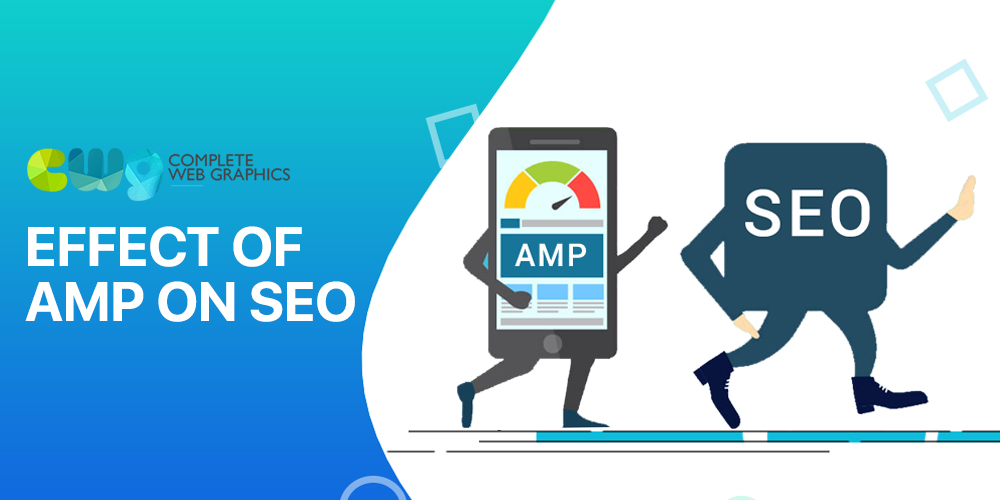
You surely want a website that loads quickly on mobiles. Just optimizing the pages for mobile users may not make your website load fast. So, what should you do? May be time has come when you should pay attention to AMP or Accelerated Mobile Pages. Kissmetrics’s recent study shows that near about 40% of people skip if a website’s loading time is more than 3seconds. In 2015, Google declared Accelerated Mobile Page to be an important ranking factor. Now the question is, ‘What is Accelerated Mobile Page?’ Accelerated Mobile Page or AMP: An Overview Accelerated Mobile Page or AMP is an open-source standard of coding for the websites that publish content. Its use speeds up the loading time of websites on mobiles. Precisely said, it makes the websites mobile responsive. Earlier, it was used only to enhance the user experience. Recently, Google has started to support it. This has made the online entrepreneurs to consider it too. Importance of AMP in SEO Are you happy with your website’s loading speed? If you’re not, optimize your website for a mobile version. Site optimization with AMP will help you to improve user experience. You can enjoy the following SEO benefits by using it. Increases Online Visibility: Accelerated Mobile Pages content appear quickly on Google News Carousels. Google notices such content easily. As a result, your website is likely to get higher ranks in SERPs. Consequently, its visibility increases. Makes Website Load Fast: Loading time is crucial for SERP position. Mind it, no user is going to sit with his smartphone to access your site for more than 6seconds. Therefore, make sure that your website is taking only 1-2seconds to load. It is possible when you’re using Decreases Bounce Rate: It also diminishes the overall bounce rate. Search engines easily approve the sites with low bounce rate. This means when you’ve low bounce rate, your website will get noticed immediately. It, in turn, will boost your traffic flow. AMP Vs. Non-AMP Mobile Browsing Unlike non-AMP pages, AMP pages simplify user experience. That being said, it avoids including lot of stuff in the site. Rather, it: Emphasizes the use of CSS streamlined version Doesn’t allow the use of JavaScript Allows the use of only AMP’s JavaScript library. This, in turn, will increase the loading time of images. You give priority to readability and loading speed while using AMP. The Bottom Line No one can deny AMP’s power. Optimization of site’s speed helps you to meet Google’s expectation. However, you may face many issues while using it like ‘Unknown Syntax Error.’ It’s better not to take any risk. Rather, go for hiring an expert who knows well how to implement it for your benefit. You can consider contacting our team for the same. We’ve an experienced team to take your website to #1 position of SERPs. Click on www.completewebgraphics.com to get in touch with us.
8 Rules Every Software Developer Should Follow

A software developer handles different projects in his career. This varied software development projects instill in him specific mindsets and behavioral characteristics. Needless to say, it is these behavioral characteristics and mindsets that make them unique. On the basis of our interviewing of many experienced software developers, we’ve pointed out the following rules of achieving success in this field. Check them out. Software Developers should follow these Rules Write Reusable and Legible Codes You can use any of the available methods to write legible, clean and easy-to-test codes. While involved in software development, most developers tend to write big codes. As a result, the main purpose of coding that specific element is lost. Instead of doing so, they should focus on one function only. They should also assign meaningful and simpler names to functions and variables. This will enable them to write easy-to-read and understand codes. Test Only What You Need To There are certain elements that need to be tested. As for instance, libraries, frameworks, and infrastructure of your developed website. Generally, the professionals don’t require testing of external libraries and the browser. At the same time, testing the code he has written is significant. Test only those codes that are necessary. Software Architecture Your system’s architecture is represented by the software’s architecture. The architecture of the software is done in such a way that it will efficiently meet all the requirements of the project. As for instance, the interfaces between the software system, host operating system, and so on. Once you know the specifications of your software development, designing the objects and the interfaces becomes easy. Choose Standard Built-in Types Python built-in types are easy to use followed by C. Using it can improve your performance. Avoid using custom objects and practice your hands in standard built-in types. Go for Documentation Documentation of the software’s internal design is vital. You will need it for maintaining and enhancing the performance of the software in future. Don’t forget to document especially for the external interfaces. All these documentation help the developers a lot. Don’t Repeat Yourself or DRY DRY matters a lot in production coding than in testing. Make certain that your individual test file is easy to read. Instead of taking the test coding altogether, it is read individually. Of course, you can go for overuse of a specific code for your convenience. But, it isn’t of much significance in test coding. Take Help from Others Share the ownership of your code. Siloed knowledge always hurts. Ask your seniors and experts in this field to give you opinions regarding your design and implementation. Try to get the opinions before coding. Their opinions will help you to avoid design mistakes. Allocation of Resources Programming is the most over-priced part of software development. A well-planned resource allocation is important before the developers start working on the project. This allocation will tell them who is going to handle what part of the project. It strengthens the understanding between the developers and ensures good output. Developing software isn’t easy. Following the rules discussed above is important for anyone who aims to make a prosperous career as a software developer. To know how an experienced software developer can help you, reach us at www.completewebgraphics.com
8 Skills That Will Make You a Great Android Developer
Wherever you turn your head, you’ll see people engaged with their android phones. Needless to say, its emergence has captivated a lot of people. As such, android developers are consistently trying to include more features in the same. But, a good android developer only can make a device visually appealing and feature-rich. Now, comes the question, how would you know who is a good developer? An experienced developer should have the following skills to give an outstanding job. Experienced Android Developer’s Skill Technically Strong There are many android tools like APIs, Android Studio, Android SDK, and so on. The developer should be able to efficiently handle third-party libraries as well as APIs. Just getting training won’t bring much success to a developer. Rather, he should be well-versed with various aspects related to build apps for different devices. Knows Java Programming In-depth knowledge about Java programming language is a must for a skilled android developer. He should know even the toughest java programming syntaxes. Only, then, he will be able to build android apps that work. Cross-Platform Knowledge As the mobile market is growing, users are getting the chance to pick the browser they’re comfortable to carry on with their searches. As a result, big shots like Google and Apple are giving efforts to provide users with cross-platform solutions. In such a situation, your selected android app development agency should be able to build apps that can give optimal performance on different operating systems. An Eye for Detailing The developed app has to be user-friendly so as to promote your brand through it. And, to make it user-friendly, it should be aesthetically appealing. A successful android app developer will understand the requirements of a good design well. Therefore, he can create apps that can hit the market successfully. An app that has good design, user-friendly, and slick functionality can cater to the clients’ objectives perfectly. Adaptability Your android developer should have the urge to take in new things. Adaptability is vital to become a successful professional in this industry. He should be able to adapt himself easily with the latest changes taking place in android applications and should know how to leverage them to their fullest potentials. Smart Thinking Assessment of various facts is significant before proceeding to develop an app. While being creative, he has to be a smart thinker to determine which design will work best for that particular app. This smart thinking will help him to incorporate a maintainable coding. Update Knowledge The world of android app is evolving rapidly. Therefore, the features you’re using today may seem outdated tomorrow. But, if you update your android-related knowledge regularly, you’ll be able to include the latest features. As a result, the app developed by you will have all the essential features to encourage downloads. Spatial Reasoning Being an android developer, you should be able to visualize spatial relations between the designing elements. At the same time, thinking in terms of 3-D is important too. Think from your users’ perspective while designing the interface. Handling of real-life projects and regular practice will help you to strengthen your spatial reasoning. A good android app developer only has the expertise to design an app that meets a clients’ business goals. If you want an experienced developer, get in touch with our android app development team by clicking on www.completewebgrahics.com
15 Advanced On-Page SEO Tricks to Grow Your Business in 2019
SEO is going from tough to tougher. You’re either trying to maintain your #1 ranking in SERPs or framing strategies to improve it. So, how’re you planning to re-strategize? Let’s first focus on On-Page SEO. In this blog, we’ll teach you 15 advanced tricks to take your web page to dominant ranks in the search results in 2019. Get ready to learn. On-Page SEO Tricks Research on SERP Algorithm SERP algorithms especially Google’s change frequently. Learn them thoroughly. Update your knowledge. This research will enable you to optimize the pages of your website. The more you learn, the more benefit you can get from it in the long run. Dig Into Relevant Keywords Obviously, keywords are significant for on-page SEO. Firstly, find your targeted audience to get the right keywords. However, there are people who start with using keyword tools. But, if you don’t know your target audience, how can you find the right keywords? Know your audiences’ interest, needs, and demographics. Accordingly, start your search. Choose Short URLs Suppose your URL looks like this. http://www.example.com/hotels/USA-hotels/north-america-hotels/florida-hotels/orlando-hotels/ Will your audience find it easy to remember? Surely, not. But if it is like: http://www.example.com/hotels/USA/north-amarica/florida/orlando/ Then, your audience can easily remember it. You need to create short and descriptive URLs based on the topic. Choose a well-crafted semantic. Avoid stuffing the URL with too many keywords. Optimize Title Tags Include 2-3 keywords max in your title tag. Try to place the main keyword at the starting. Google displays the first 50-60 characters of your title. Therefore, check the length of your title. Make sure you’ve made it engaging and informative within those characters. Focus on Meta Descriptions Your meta description tells the search engine about the page’s purpose. So, determine what the page is about before writing its meta description. Also, limit the words to 160-230 characters including spaces. Mind Your Heading Tags Heading tags denote the page’s subheadings. It makes your content easy-to-read and index able. So, pay your attention while creating these Heading tags. Include synonyms of your primary keyword in this tag. Maintain the hierarchy of the subheading tags (<H2>, <H3>, <H4>, and so on). Write Captivating Content After all, it’s your content that the audience read. Select the topics with care. Give as much information as you can. Make it interesting to read. Furthermore, write short paragraphs. Once you finish creating the content, read it out loud. This will enable you to find out whether the content has the power to drive in traffic. Use Multi-Media Content Inclusion of audios and pleasing yet relevant images will bind your audience for a long time. Adding videos will give you an added advantage. This content creating strategy will help you to lower the bounce rate and boost the engagement rate. Optimize Your Images Image optimization is a vital part of on-page SEO. Create their alt tags and descriptions. Video Optimization To reap the maximum benefit out of your videos, you’ve to optimize them. Include titles, subtitles, thumbnail images, and descriptions to enable Google to index it with ease. Include Schema Take your page to higher rank with the help of Schema. It is a set of small data that aid Google in indexing and ranking your page. Insert Internal Links Place internal links in your content naturally and in accordance with the content. These links will direct your readers to other pages of your website. This amazing on-page SEO tactic is practiced for years. As for instance, you can include the link of ‘Contact Us’ page in one of your Service page. In this way, you can promote your other pages simultaneously. Ask for Customer Reviews Client’s review adds to the credibility of your website. Your users will check reviews before buying your offerings. Moreover, it will also help you to improve you site’s rank. Include FAQs Make a separate Page or Section for FAQs. Write questions that your target audience may ask. Answer those questions in details. It will make your page user-friendly. Check Responsiveness Mobile users are skyrocketing. You can predict that most of the users will use their mobiles to access your site. In such a situation, if your website takes a lot of time to load or it loses the functionality, your users will go away. So, develop your website to make it responsive. All the on-page SEO tricks discussed above can help you in generating huge ROI. Regarding it, you can talk to our SEO experts and let them frame a strategy for you. Click on https://completewebgraphics.com/services/digital-marketing/seo/ to know more about our services.
Google My Business: Everything You Should know About it
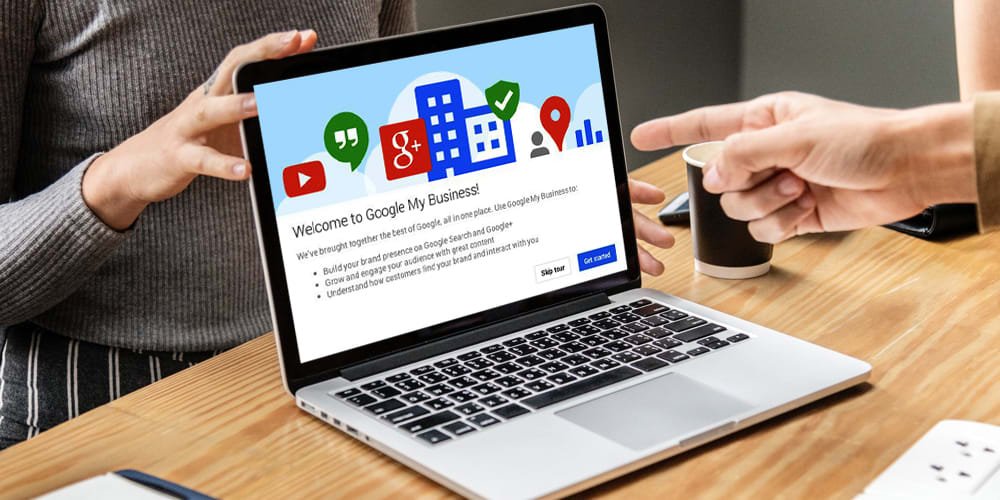
The increasing use of smartphone is steadily replacing computers. Use of voice search is also increasing. These cult-defining trends are compelling search engines to update their products or introduce new ones. As for instance, Google My Business. Google My Business or GMB allows online businesses to create their profiles and drive in customers. All in all, it enables you to update the details of your online business. You should create your profile here because: More than 90% of smartphone users use their mobiles to perform local searches. Above 43% of shoppers search online before buying locally. Approximately 97% customers go online to find out local businesses. Once you complete the listing, your business’ name, address, and contact details will appear to the searchers searching using your industry-relevant keywords. Precisely said, it is a source of generating leads. If your business doesn’t have a website, then also you can use GMB for the same purpose. Moreover, you can choose Google AdWord’s Express to start your ads. Is Google My Business Free? GMB is fully free for its users. But, your business should have some physical address to avail its benefits. Otherwise, you’re not an eligible candidate for it. What Are Its Types? Google My Business is basically of 3 types. They’re: Service Area: In case, you don’t have a storehouse, you can give service to the chosen area by listing your profile here. Different Brands: For businesses with presence in multiple locations having various brand names. Chain: For businesses located at several places. What You Need To Create Google My Business Listing? You should have: NAP (name, address, and phone number) of your business Google Account How to Create Google My Business Listing? Log into Google My Business account. Verify whether the Company’s name is already exist. If it’s not added, provide details of your company like name, location, postal address, phone number, operational area, business hours, and payment options. Fill up all the blanks. Once you’ve double checked the info, click the submit button. Google uses phone, email, postcards, and both bulk and instant verification to verify your provided info about the business for listing it in Google My Business. When the listing becomes live, Google Search will show up your business at different places through Google search, including Google+, Knowledge Graph and Google Maps. As a result, your users while search what your business is offering, your operational area along with the company’s details will be shown to them. How Google My Business Helps You? It gives you the opportunity to update your business info. Consequently, you’ll be able to add more value to your business by letting it appear on different Google products. You can manage and streamline your business information using GMB. It increases the site’s traffic and ensures both local and international transactions hassle-free. You can monitor the customers’ feedbacks through it. In addition to it, GMB also allows to you to respond immediately to the queries of the audience. GMB may suspend your account if it finds the provided info to be inaccurate. Therefore, follow its rules strictly to leverage its potentiality. Factors to consider to avoid Google My Business Issues You are not allowed to create duplicate listings for the same company. Report to Google if you find a third-party’s business info has appeared on your listing. Remove your account from GMB if you’ve closed the business permanently or temporarily. Clear up all ownership transfer issues. Follow the steps carefully while creating GMB listing after the transferring ownership from the primary owner. Check your NAP. Make sure you’ve not done any mistake while filling up the form. Also, check the location’s code. Never create separate listings for all the specializations you’ve done in a specific field. Google My Business is a powerful tool to make your company attract customers from your locality. Follow the guidelines properly to get a good rank in SERPs. Learn more about its benefits .
5 Easy SEO Tricks to Improve Your Website’s Ranking Quickly
SEO is crucial for any online business. But, the search engines evolve constantly and update their algorithms. That’s why, you’ve to know various tactics to beat your competitors. Every year, the online competition is growing. Obviously, 2019 will not be an exception to it. Let’s start learning how to improve website ranking this year. 5 SEO tricks to Improve Website Ranking Use Long-Tailed Keywords Voice-searching is increasing rapidly. According to a recent survey, 41% of adults conduct voice search at least once daily. Most of them use long-tailed keywords to get answers of their search queries. As such, their conversion rates are comparatively high than head keywords. Keep the searcher’s intention in mind while finding the keywords. Create your content around those long-tailed keywords. Make sure your content is efficiently satisfying the queries of your targeted audience. It is only then your website’s ranking will improve. Choose HTTPS Over HTTP Google prefers secure websites. So, if you’re using HTTP, replace it with HTTPS immediately. HTTPS (Hyper Text Transfer Protocol Secure) is the secure version of HTTP. It communicates the information safely by collaborating with SSL. Therefore, your users will be relaxed as their given data will remain encrypted and won’t get leaked to any third party. Apart from it, you can get accurate information from the users by switching your website from HTTP to HTTPS. Optimize for Responsiveness Most of your traffic comes from mobile users. That being said, it’s become significant that your users can easily access the website from their mobile devices. And, for that, check the website’s responsiveness. Also, create optimized mobile-site content so as to ensure an easy read to your audiences. Find out how long your website is taking to load when accessed from a mobile. If it’s taking too long time, speed up the website’s loading time by following the required steps. Improve Content to Increase Engagement Search engines reward sites with high engagement rates. If you’re not getting the desired engagement, improve your content strategies. Write easy-to-read content. Create short paragraphs and write short sentences to enhance readability. Provide high quality content with relevant images throughout the site to make the content look more interesting. In addition to, try to give most of the information at the beginning of the content. These easy tricks can play a huge role to improve website ranking. Customers Reviews Ask Your Customers for Reviews. Google trust your customers’ words more than yours. Try to get more reviews or feed-backs from your customers for your products or services. Search engines will consider these feed-backs while adding credibility to your site. They will take positive reviews as a reliable source to send the relevant traffic to your site. All the tricks shared above are result-driven. Don’t miss to follow anyone of them. If you’re not a tech-savvy and looking for a professional to take your website to higher ranks in the New Year, consider contacting us. We at Complete Web Graphics have dedicated SEO team to give the efforts and bring results on your behalf. Click on www.completewebgraphics.com to reach us.
How Can You Use HrefLang in Multilingual Stores
You create website to increase your sales. And, that’s possible when your website is visible in search engine results. If you want to hit the local customers, offer your content in the local language. Fortunately, hreflang is there to ease the job. What is Hreflang? The hreflang is a part of HTML. It is used in the backend of the website coding on the <link> element. It helps Google to understand that your website offer its content in multiple languages. As a result, the search engine presents your readers with the most appropriate version of your website. Its use brings down a site’s bounce rate. On the contrary, it increases the conversion rate by providing the content in that language in which your visitors feel comfortable to read with. How to Indicate Multiple Languages? You can indicate your web content in multiple languages by: Sitemap HTTP headers HTML tags How the Coding will Look Like? You can include as many hreflang as the languages you’re offering. As for instance, if the Homepage of your store uses English for multiple locations like the UK, Canada, and the US, the hreflang will look similar to this. <link rel=”alternate” href=”https://www.liveinsardinia.com/” hreflang=”it” /> <link rel=”alternate” href=”https://www.liveinsardinia.com/” hreflang=”fr” /> or <link hreflang=”de” href=”http://clinicahispanalapaz.net/de/” rel=”alternate” /> <link hreflang=”en” href=”http://clinicahispanalapaz.net/en/” rel=”alternate” /> How to Use the Region Code? Now, comes the question, ‘how to define hreflang with country code’? Go to Wikipedia.org. It has clearly defined the country codes and the languages that should be used with it. Never give a country code from your own choice. However, you can simplify the tagging by specifying a language code. Just after the language, add the country code. By doing so, you can more specifically target a group of audience speaking in that language only. <link rel=”alternate” href=”https://www.liveinsardinia.com/” hreflang=”ru” /> <link rel=”alternate” href=”https://www.liveinsardinia.com/” hreflang=”ar” /> <link rel=”alternate” href=”https://www.liveinsardinia.com/” hreflang=”es” /> <link rel=”alternate” href=”https://www.liveinsardinia.com/” hreflang=”en” /> What is Localized Content? Localization does not translate the content word-by-word. Rather, it’s the content in a particular language targeting a particular region. In some cultures, the content is read from right to left. In such cases, RTL content may be used by the web developers to enhance user experience. However, RTL content affects the direction of the images and icons. Therefore, the developers should find a solution to not to disrupt the appeal of the website while using RTL content. Which Search Engines Support Hreflang? Google supports hreflang through XML Sitemap as well as HTML. Yandex though supports hreflang yet it involves HTML. But, other search engines like Bing, Naver, and Baidu don’t support hreflang. You have to use the HTML meta language to enable crawling and indexing of your website by them. What Common Mistakes Should You Avoid? Some of the common mistakes which near about 75% of website developers make are: Self Referencing Tags: This is one of the common mistakes that developers make. Self referencing of hreflang is must. It means you’ve to match the hreflang link URL with the page’s URL. Not Linking Back: If you want to link page A with page B, you’ve to link back page B with page A. Otherwise, the pages with hreflang will not interpret the content properly. Not Checking the Alternate URLs: Any reputed web development company fully check the quality of alternate URLs. They do so by implementing the transport method. The Bottom Line Setting hreflang in coding requires technical skill. Even a slight mistake here could bring down your website’s visibility in the relevant search results. Complete Web Graphics, the best website development company in Kolkata, uses its experience and expertise to build websites for stores operating in multiple languages. Click on www.completewebgraphics.com to get in touch with them.
6 Ways to Use White Space in Web Designs Smartly

White space in web designs is vital. Unfortunately, very few designers can use it smartly. Its use becomes trickier especially in mobile responsive layouts. Mobile devices and tablets have different screen sizes. Obviously, there’s no one-size fits-all theory when it comes to web designing. As a result, designers have to use the latest graphic design tools. These tools use the white space without interfering with the customers experience in any way. What is White Space? The space around an object in a line, text, or image is called White Space. Everything from spacing to line height falls under this category. It is important to create balance between various design elements in the layout. Significance: White Space serves multiple designing purposes. Some of them are: Strengthening Interaction: Suppose, you’ve an eCommerce website. You may want to display your products on a page. In such a situation, white space in web designs is essential. This white space will allow you to place high resolution images along with content. Guiding the Visitors: Flashy and interesting images you add on your website attract the visitors’ eyes. White space calms the eyes. Therefore, your audience can easily see what you want them to. Enhancing Visual Appeal: It makes your website appear aesthetically pleasant from different mobile devices. Types: To bind your audience to the site, you need to understand how various types of white space can work together. And for that, you need to know the types. Macro: The space surrounding the content elements of your site is called Macro Space. You can see it anywhere in the layout. Micro: The space between the content elements is called Micro Space. It includes space between grid images, paragraphs, and the lines. Active Space: According to designers, Active White Space adds to the clarity of the page’s structure while guiding the users simultaneously. Passive Space: Passive White Space adds beauty to the layout without redirecting the readers in any way. However, using this white space in responsive layouts is little tough. And, in this blog, you’re going to learn exactly that. So, are you ready to take the deep dive? Ways to Use White Space in Web Designs Honestly speaking, while making a responsive design, you have to compress the content so much that you’ve very little white space left with you. Therefore, you’ve to use it intelligently to get the balanced approach. Get ready to learn. Design for Touch Targets: MIT Touch Lab says that the ideal touch target size ranges from 30 to 40 pixels. Maintain this size to ensure optimal view of the website to your audience. Any good web design company will include some white space between different touch targets. It will enable your users to touch the targets only they want to explore. Allocating Points: Give yourself points when you’ve to add more content on a page. As for instance, you’ve 15 points to draw user attention. And, each time you add one element for that, one point is deducted from your total amount. If you’ve to add more elements in one page, you may need to use many elements to make the page look awesome. But, while doing so, you have lost all the points. Now, obviously, you cannot create more white space there. Then, what’s the solution? You should know how to use minimum elements while maintaining the page’s appeal. Use Your Creativity: Expand your creative wings. Play with vibrant colors (relevant to your industry), typeface size, fonts, and what not. Integrate them in your website in a way that it will enhance the effect of the resulted layout. Adjust Navigation Menu: Responsive design should ensure consistent seamless user experience. That being said, you may need to create breakpoints in your white space. Your site may have numerous links. As such, most designers prefer to use the three-bar hamburger icon. Do you want to show your menu distinctly? Then, tab bar is your answer. Use tab bar and make all your sections visible instead of hiding them with a hamburger icon. Go for Vertical: Mobile responsive layout has a confined space. You’ve to put all the elements within that space. So, you’ve to trickily use the white space in web designs that the various content elements maintain a consistent gap, thus adding to the aesthetic appeal. As such, it’s advised to arrange the content in the menu beneath each other. On the contrary, if you arrange them horizontally, the website may have a cluttered design. Make sure that your website has clarity and simplicity so as to not to confuse the readers. Place Mobile-Friendly Images: This is one of the most effective eCommerce strategies. Place the images vertically along with white space in between them. Remove those design elements which you find unnecessary, provided it is not affecting the readers’ experience. Paying attention to how to use the white space in web designs wisely will draw huge traffic. However, for the non-tech savvy people, the process may appear little tough. Therefore, you should hire a reputed web design company having years of experience in designing websites of various industries. Complete Web Graphics is a renowned web design and development company. Our team is efficient to handle a wide range of web designing related challenges. Click on www.completewebgraphics.com to get in touch our experienced team.
Google Medic Update: Everything You Shouldn’t Miss to Know about it
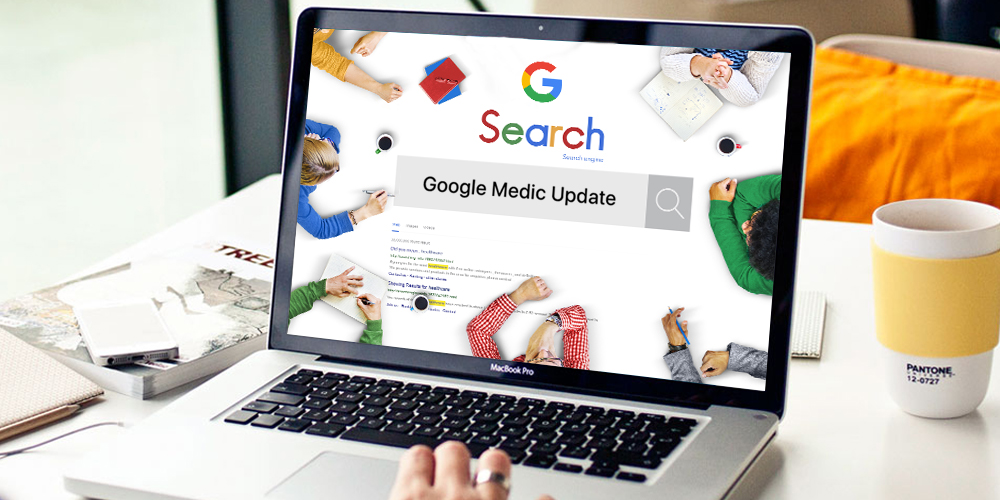
Google Medic update released on 1st week of August hits the ranks of many websites. You may or may not be one of them. If you’ve escaped that hardest hit, you’re lucky. But, don’t leave everything upon “luck”. Rather, know how you can continue to maintain your rank despite this Google Medic update. What is Google Medic Update? Google update its algorithms several times in a year. According to Danny Sullivan, the co-founder of Search Engine Land, it’s also a “broad core algorithm update.” Unfortunately, it’s hard to know what factors have made some websites lose their rank. Even more unfortunate is ‘there’s no way to fix it’, as Google says. Why the Update is Named Google Medic? As you’ve already known, the nickname of the update is ‘Medic’. So, what industry does Google aim to hit? Yes, you’ve guessed it right. It’s the health and medical industry. As per a study conducted over 300 websites by SEO Roundtable, more than 42% of affected sites belong to this category. However, this data doesn’t show that websites of other industries haven’t got the brunt. Actually, Google is considering the domain authority while ranking. As a result, websites with high domain authority continues to enjoy their ranks whereas the small websites suffer. Many digital marketing experts have thought that Google has considered mobile page speed while ranking. But, Google has made it clear that page speed wasn’t the problem. In this regard, Danny Sullivan further said, ‘It’s just a broad core.’ Broad Core Algorithm Update: What is it? Basically, Google has shrouded it with mystery. Google constantly updates its algorithm. But, most of the times, they went unnoticed. They do so to give more specific results to the searchers. As for instance, Panda focuses on quality content. Penguin penalizes sites practicing black-hat SEO tactics. Unlike Panda and Penguin, this algorithm doesn’t point out a single factor. And, why this update has targeted specific websites no one understands. Google takes it as a general approval. Search Engine Land said that this ‘core update’ has been introduced to bring changes in the ‘search engine itself.’ Though Google is hiding the factors they’re considering for ranking, yet we know some of the factors that really matter in website ranking. These are: Responsiveness Keywords in meta tags HTTPS Page Speed And the list is endless… In this update, Google has changed the value they’re giving to each factor. But Google is emphasizing on the fact time and again that the suffered sites haven’t done anything wrong. Google is just valuing some factors where your competitors might have performed better than you. Accordingly, they’re ranking the sites. On What Google Medic Update was Focusing? Dive into Google’s Quality Rater Guidelines to know that. As per the update in July, 2018, it is giving important to E.A.T (Expertise, Authoritativeness, and Trust). This has enabled the search engine to show the most relevant results to its users. It means you’ve to pay more attention to create quality content to reach your audience. If you’ve just set up your website, then create an ‘About Us’ page. Include all your awards you’ve received till date for offering those services your website is promoting. Boasts yourself as much as you can (certainly, with proof like testimonials and rewards). Also, include authors’ bios. Though we’re not sure, yet the data shows that Google is prioritizing overall authority to give ranks. While doing so, the search engine is not only considering the site’s reputation but also the reputation of the authors individually. It means if multiple authors are creating content for your website, all of them should have high credibility to get recognition from Google. Therefore, you should thoroughly screen the authors’ profile before accepting blogs and articles from them. Precisely said, a website with credible authors and solid efficiency proof will get preference from Google. How to Beat the Google Medic Update? Consider your users’ intent while creating content. That’s the only way of escaping the hit of Google Medic Update safely. You should know whether your users are looking for information or planning to buy your products. Now, how will you do that? Well, for that, you’ve to focus on keywords. Does the keyword have words like ‘discount’, ‘affordable’, and ‘buy’? If so, your users may want to buy your offerings. On the contrary, if the keywords contain words like ‘examples’, ‘meaning of’, ‘how to..’, your users are looking for information. Thus, producing quality content alone will not work. You should also pay attention to whether the produced content is matching your users’ intent. Moreover, find out which pages are getting more visitors. Work more on those pages to drive sales. The Bottom Line While the exact way to regain the lost traffic is still unknown, experts advise to stick to the fundamentals to recover the loss eventually. If you go on maintaining the quality of your content, Google will ultimately pay you off. Just don’t sit idle. Rather, work on to create a technically and functionally rich website. You can hire a professional for the same. We, at Complete Web Graphics, design websites and perform SEO in a way that Google easily indexes and ranks it. Click on www.completewebgraphics.com to avail our services.